Rethinking Daily Planning
Most people treat the day as a block of fixed hours. But energy fluctuates more than clock hands. Planning around energy means scheduling demanding tasks when alertness peaks and less intense activities during low energy. For example, studying complex topics is tougher after lunch because average cognitive speed drops by around 20%. Aligning your work to these ebbs and flows changes results dramatically.
A software engineer I know shifted coding to mornings only, when focus was best. Afternoon meetings moved to shorter chats or emails. Productivity rose 35% in three months without longer hours.
Tracking energy needs no fancy tools—just observation and honesty.
Common Missteps in Time Use
People often assume time equals productivity. Staring at a screen for eight hours doesn't guarantee work done. Schedules ignore individual variability in energy patterns—what works for one might fail another.
A common trap: forcing high-concentration tasks during tired periods, then feeling guilty about poor output. The cycle worsens fatigue and procrastination. This can lead to burnout and reduced creative thinking.
Many rely too heavily on arbitrary time slots, losing sight of when they're truly sharp. Telephone salespeople, for example, may skip the mid-afternoon slump and book calls in morning windows. Yet most overlook personal energy cycles entirely.
Ignoring these signals wastes hours daily.
Align Planning with Energy
Identify Your Energy Peaks
Start by recording energy levels every 90 minutes for a week. Use ready apps like TimeTune or just paper notes. You’ll see patterns emerge—morning spikes, post-lunch dips, evening recoveries. Use this data to block prime hours for tasks requiring high focus.
Group Similar Tasks by Demand
Chunk your work into categories: high, medium, low intensity. Then assign them to energy zones you discovered. For example, lawyers solve complex cases in the morning, reserve afternoons for emails and calls.
Build Breaks Intelligently
Use the Ultradian rhythm—cycles of about 90–120 minutes for energy rise and fall. After 90 minutes, take a 15-minute break to reset brain function. Apps like Focus@Will help remind you, but a simple timer is fine. Don't skip; it refreshes endurance.
Adapt Rigid Schedules Gradually
Instead of dumping your calendar, introduce flexibility slowly. For instance, choose two tasks to do freely in your peak energy period daily. Adjust the rest in blocks of 30-minute experiments to see what fits.
Use Energy-Based To-Do Lists
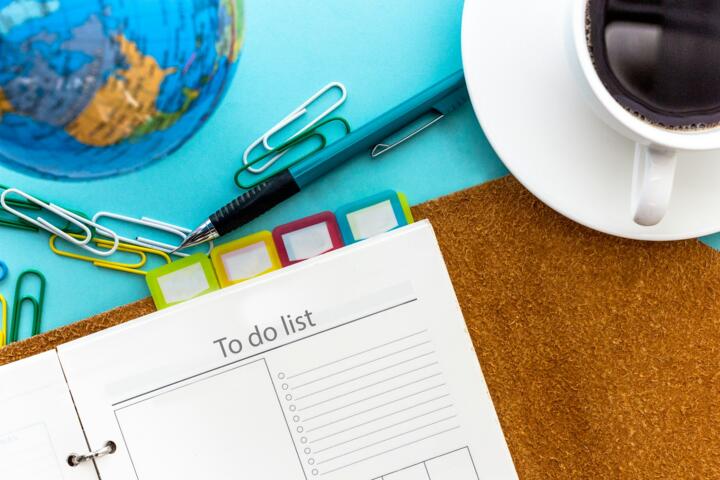
Create a list tagged with energy levels, such as ""High Focus,"" ""Routine,"" and ""Creative."" Choose tasks based on current energy. This method beats standard chronological lists that ignore condition.
Leverage Technology Wisely
Tools like RescueTime or Clockify can identify when you're actually productive. Many users miss this step and trust to guesswork. Numbers from these apps give concrete insights about energy patterns.
Prioritize Sleep and Nutrition
Energy isn't just during working hours. Lack of sleep drops alertness by 32% at worst, while poor hydration damages focus. Adjust bedtime routines and meal quality to sustain energy cycles better.
Reserve Evening for Creativity
Some people hit creative highs late evening. Capture this by setting aside sketching, brainstorming, or writing for that time, even if exhausting. This goes against common advice but aligns with personal energy.
Be Ready to Pivot
Chaos happens—and energy fluctuates day to day. Always keep one or two tasks flexible. Improvising during low energy states with less demanding work protects momentum without forcing failure.
Real-Life Examples
A digital marketing firm found their team most alert between 9–11 am, but meetings were scheduled post-lunch from 1:30 pm. They shifted meetings to prime energy periods and reported a 40% jump in strategy meeting effectiveness within 2 months.
One freelance writer scheduled heavy research in mornings, email responses at midday, and freeform drafting late evening. She increased monthly output from around 30,000 words to 50,000 words while working fewer hours.
Task-Energy Planning Checklist
| Step | Action | Tool / Method | Goal |
|---|---|---|---|
| 1 | Track energy levels | Journal or apps (TimeTune) | Identify peak and low periods |
| 2 | Categorize tasks by energy | Energy-based to-do list | Match work to energy |
| 3 | Set work blocks | Calendar with buffers | Prevent fatigue |
| 4 | Schedule breaks | Timer (Pomodoro / Ultradian) | Maintain cognitive fresh |
| 5 | Review and tweak | Weekly review session | Optimize energy use |
Errors and Fixes
Ignoring personal rhythms happens often. Forcing a standard 9–5 ignores deep science on brain cycles. Also, skipping breaks slowly drains willpower and sharpness. Avoid multitasking during peak energy—it splits focus badly.
Some try to evaluate energy purely by mood, which is too fickle. Track tangible productivity signals alongside. Another trap lies in assuming energy peaks are long. Usually they last 60–90 minutes up to two hours. Working longer backfires.
Don’t obsess over perfect plans. They don’t exist. A slightly off day managed flexibly trumps rigid failure.
FAQ
What if my energy doesn't follow usual patterns?
Individual cycles differ, so measure your own for several days. Some people peak in late afternoon or night. Track rather than guess to find your rhythm.
Can I plan around energy with a fixed job?
Yes, within limits. Use peak hours for your hardest tasks before or after work, or request shifts aligned with your cycle if possible.
How soon will I notice benefits?
Most see effects within two weeks of conscious adjustment. Realign breaks and task types first to feel change.
Does diet affect daily energy?
Absolutely. Quality meals timed well prevent crashes. Avoid sugary spikes around peak work times.
What tools best support energy-based planning?
Apps like TimeTune, RescueTime, and Focus@Will track and manage tasks by energy or alertness fluctuations.
Author's Insight
Years ago, I battled with forcing long work sessions regardless of how drained I felt, leading to burnout. Switching to energy-based planning boosted my weekly output by about 30% without longer days. Even minor tweaks to when tasks are done—like moving writing to early hours—made work feel far less like a grind. It takes patience and attention but paying attention to energy beats clock watching every time.
Summary
Design your day around energy, not the clock. Monitor patterns, group tasks, schedule breaks, and adapt with data-backed decisions. Small shifts yield measurable productivity gains and wellbeing improvements. Start simple: track today’s energy and test one change tomorrow.