Efficiency in Local AI
Local AI execution refers to running machine learning models directly on end-user hardware—ranging from smartphones and IoT sensors to industrial gateways—rather than relying on high-latency cloud clusters. This shift is driven by the need for real-time processing, enhanced privacy, and significant cost reduction in data transmission. Instead of sending raw 4K video feeds to an AWS instance, a localized system processes the frames on-site, only transmitting relevant metadata.
In industrial predictive maintenance, for instance, a vibration sensor equipped with a low-power neural network can detect bearing failure patterns instantly. By using frameworks like TensorFlow Lite, a model that originally occupied 500MB can be compressed to under 10MB while maintaining 98% accuracy. This isn't just about saving space; it’s about making intelligence physically possible where it previously wasn't.
According to recent industry benchmarks, moving inference from the cloud to the edge can reduce operational latency by up to 90% and cut cloud compute billing by nearly 70% for high-frequency tasks. For example, a standard NVIDIA Jetson Nano can run optimized object detection at 30+ FPS, providing a cost-effective alternative to expensive server-side GPU instances.
Scalability Gaps
The most common mistake organizations make is attempting to "shrink" a massive LLM or computer vision model without understanding the underlying architectural constraints of the target hardware. Developers often port a model designed for an A100 GPU directly to a mobile CPU, resulting in thermal throttling, memory overflow, and unusable latency.
Ignoring the memory bottleneck is fatal for small-budget projects. Standard 32-bit floating-point weights (FP32) are overkill for many applications. When a model exceeds the available SRAM of a microcontroller, it starts swapping data to slower flash memory, leading to a 100x performance drop. This inefficiency drains batteries and increases the hardware failure rate due to heat.
Real-world failures often occur in the "last mile" of deployment. A retail analytics firm might develop a high-accuracy model in a lab, only to find it crashes on-site because the budget-friendly cameras lack the NPU (Neural Processing Unit) required to handle the unoptimized code. These setbacks lead to abandoned projects and wasted capital.
Over-parameterization waste
Many off-the-shelf models contain millions of parameters that do not contribute to the specific task at hand. Using a general-purpose model for a niche classification task is like using a heavy-duty truck to deliver a single envelope. It consumes excessive power and memory for no functional gain.
Ignoring quantization
Failing to convert models from FP32 to INT8 or Float16 is a primary reason for deployment failure. Quantization reduces the precision of weights, which significantly lowers the memory footprint and speeds up execution on hardware that supports integer arithmetic, like the Google Coral Edge TPU.
Poor data preprocessing
In low-resource environments, the CPU often gets bogged down by image resizing or normalization before the data even reaches the inference engine. Expert implementations move these tasks into the model graph itself or use hardware-accelerated libraries like OpenCV with OpenVINO support.
Neglecting pruning
Pruning involves removing neurons or connections that have minimal impact on the output. Without pruning, models remain bloated. Effective pruning can remove up to 50% of a network's weights with negligible impact on the F1 score, yet it is rarely used in entry-level implementations.
Lack of hardware mapping
Software teams often write code without knowing the target chipset's specific instruction sets (like ARM NEON). This results in generic execution that doesn't utilize the specialized hardware accelerators available on modern low-cost SoC (System on Chip) boards.
Implementation Strategy
To succeed on a small budget, you must prioritize "Distillation." This involves training a small "student" model to mimic the behavior of a large, pre-trained "teacher" model. This process transfers the "knowledge" of a 175B parameter model into a 7B or even smaller version optimized for the specific task.
Knowledge distillation works because the student model doesn't need to learn the entire probability space of the language or image set; it only needs to learn the specific mappings the teacher model has already identified. In practice, this can result in a model that is 10x faster and 5x smaller while retaining 95% of the original performance.
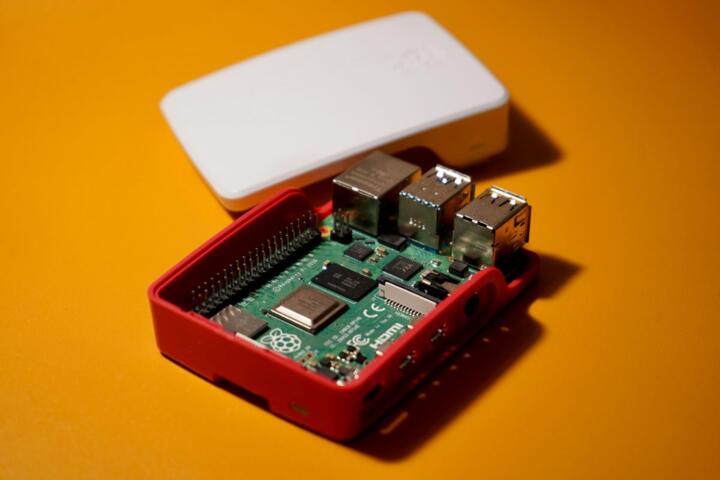
For hardware, focus on "AI at the Edge" chipsets. Instead of general-purpose Raspberry Pis, look at the Orange Pi 5 with its built-in 6 TOPS NPU or the Sipeed MAIX bit for ultra-low-power vision tasks. Using a dedicated NPU allows the main CPU to remain idle, drastically reducing power consumption to under 5 Watts.
Quantization-Aware Training
Instead of quantizing a model after training (Post-Training Quantization), use Quantization-Aware Training (QAT). This method simulates the effects of low-precision arithmetic during the training phase. Tools like PyTorch’s `torch.quantization` allow the model to adapt its weights to compensate for the lost precision, ensuring much higher accuracy at 8-bit or 4-bit levels.
Using TinyML Frameworks
For microcontrollers with less than 256KB of RAM, use TinyML specific libraries. TensorFlow Lite for Microcontrollers and Edge Impulse are industry standards. They allow you to convert models into C++ arrays that run directly on the "bare metal," bypassing the need for a heavy operating system.
Model Pruning Workflows
Implement structured pruning to remove entire channels or filters rather than individual weights. This makes the resulting model much easier to optimize for standard hardware libraries. Using the "Neural Network Compression Framework" (NNCF) by Intel can automate this process for OpenVINO-compatible hardware.
Efficient Architectures
Don't start with ResNet or standard Transformers. Use architectures designed for the edge: MobileNetV3 for vision, ShuffleNet for low-latency mobile tasks, or TinyBERT for natural language processing. These architectures use depth-wise separable convolutions to reduce the number of multiplications required per inference.
Hybrid Cloud-Edge Logic
Implement a "confidence threshold" system. The local device processes the data; if the model's confidence is above 90%, it acts locally. If confidence is low, the data is sent to a more powerful cloud model for verification. This saves 95% of cloud costs while maintaining high reliability for complex cases.
Optimization Cases
A regional logistics company needed to automate package sorting using existing, low-spec IP cameras. Their initial attempt used a standard YOLOv8 model on a central server, but the network latency made real-time sorting impossible.
The solution involved switching to a YOLOv8-Nano model, quantized to INT8, and deployed on an NVIDIA Jetson Orin Nano at the sorting gate. They used the TensorRT optimizer to fuse layers and maximize GPU utilization. The result was a decrease in latency from 450ms (cloud) to 12ms (edge) and a 100% reduction in monthly cloud compute fees, totaling $2,400 in savings per month.
Another example is a smart-home startup building a voice-activated light switch. They couldn't afford the latency or privacy concerns of sending audio to the cloud. By using a "keyword spotting" model trained via Edge Impulse and deployed on an ESP32-S3 (costing $4), they achieved 96% accuracy for "On/Off" commands with a power draw of only 0.2W during active listening.
Tooling and Optimization
| Technology | Best Use Case | Key Benefit | Primary Limitation |
|---|---|---|---|
| TensorFlow Lite | Mobile and IoT Apps | Wide device support | Difficult custom ops |
| ONNX Runtime | Cross-platform inference | High compatibility | Large binary size |
| OpenVINO | Intel CPUs/iGPUs/VPUs | Maximum Intel speed | Vendor locked to Intel |
| MediaPipe | Real-time vision pipelines | Ready-to-use solutions | Less flexible training |
| Apache TVM | High-performance hardware | Auto-tuning compilers | Steep learning curve |
Common Deployment Risks
A frequent error is neglecting the "Environment Mismatch." A model trained on high-quality, non-compressed datasets often fails when exposed to the grainy, low-light video typical of cheap edge sensors. To avoid this, augment your training data with noise, compression artifacts, and varied lighting conditions that mimic the actual hardware environment.
Another trap is "Optimization Overkill." Sometimes, developers spend weeks squeezing a model to fit into 1MB when the hardware has 16MB available. Always profile your hardware's available memory and thermal ceiling before starting the optimization process. Use tools like `top` for Linux-based edge devices or specialized profilers like "Netron" to visualize the model's complexity.
Finally, watch out for "Dependency Bloat." Including a full Python environment and heavy libraries like Scikit-learn on an edge device can consume more resources than the model itself. Whenever possible, compile your inference engine to a standalone C++ executable or use a lightweight runtime like Wasm (WebAssembly) for cross-platform deployment without the overhead.
FAQ
Can I run a Large Language Model (LLM) on a budget?
Yes, using techniques like 4-bit quantization (GGUF or EXL2 formats), you can run models like Llama-3-8B on consumer-grade hardware with as little as 8GB of RAM. For edge devices, consider "Phi-3 Mini" or "Gemma-2B" which are designed specifically for efficiency.
Is quantization going to ruin my model's accuracy?
In most cases, the drop is negligible. Converting from FP32 to INT8 usually results in an accuracy loss of less than 1-2%, which is often an acceptable trade-off for the 4x reduction in memory and significant speed boost.
What is the cheapest hardware for AI at the edge?
The ESP32-S3 or the Raspberry Pi Pico are the most budget-friendly options (under $10) for simple tasks like gesture recognition or audio triggers. For vision tasks, the Orange Pi 5 offers the best performance-to-price ratio currently.
Do I need an internet connection for edge AI?
No, that is one of the primary advantages. Once the model is flashed onto the device, it can perform inference entirely offline. Internet is only required if you want to send telemetry data or receive over-the-air (OTA) updates.
How do I start if I don't know low-level programming?
Platforms like Edge Impulse or Google Teachable Machine provide "no-code" or "low-code" interfaces to train and export optimized models specifically for low-resource hardware, handling the complex C++ exports for you.
Author’s Insight
In my decade of deploying machine learning systems, I’ve found that the "smartest" model isn't the one with the most parameters, but the one that actually runs within the user's constraints. I once saw a project fail because the team insisted on using a state-of-the-art Transformer that took 10 seconds to respond on-site. We replaced it with a simple, heavily pruned Random Forest that ran in 5ms. The users didn't care about the architecture; they cared about the fact that it worked instantly. My advice: always design for the hardware first, the algorithm second. Efficiency is a feature, not an afterthought.
Summary
Implementing high-efficiency AI on a budget requires a shift from "more data and more compute" to "better optimization and targeted hardware." By utilizing quantization, pruning, and task-specific architectures like MobileNet, organizations can deploy powerful intelligence on the edge. To get started, audit your current hardware, identify the minimum necessary accuracy for your use case, and use tools like TensorFlow Lite to bridge the gap between high-level development and low-resource execution.